ภาพรวมสินค้า
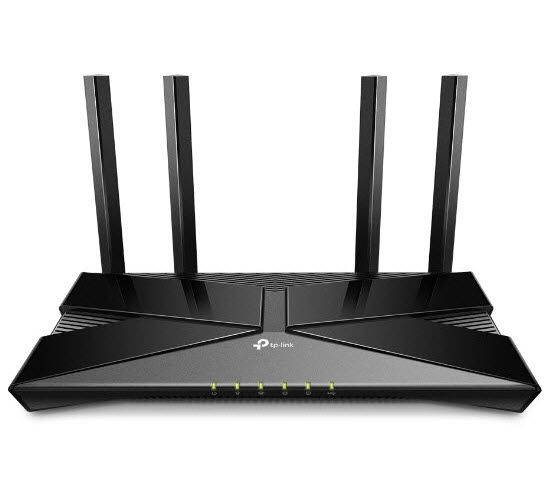 |
AX3000 Wi-Fi 6 Gigabit Router
|
|||
คุณสมบัติเด่น
 |
 |
Wi-Fi 6 Upgrades Everything.Wi-Fi 6 พร้อมแล้วที่จะมอบความเร็วแบบ Hi-speed, ใช้เทคโนโลยีล่าสุดนี้เพื่อลดหรือแก้ไขสัญญาณที่ช้า หรือรบกวน และพร้อมสนุกไปกับเทคโนโลยีแห่งอนาคตกับความเร็วอินเตอร์เน็ตที่เหนือกว่า. |
||||||
 |
||||||
|
Larger Capacity |
Parental Controls |
VPN Service |
Lower Latency |
1024-QAM |
Quality of Service |
Target Wake Time |


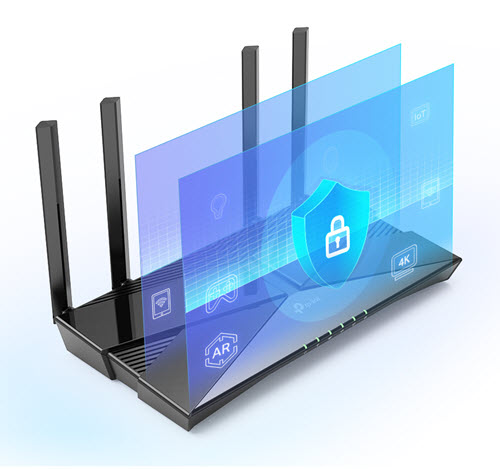 |
WPA3 - New Level of Cyber Securityมอบความปลอดภัยทางไซเบอร์ในเครือข่ายส่วนบุคคล การเข้ารหัสที่ปลอดภัยยิ่งขึ้นในรหัสผ่านและการป้องกันขั้นสูงจากการโจมตีเพื่อเครือข่ายบ้านของคุณ |
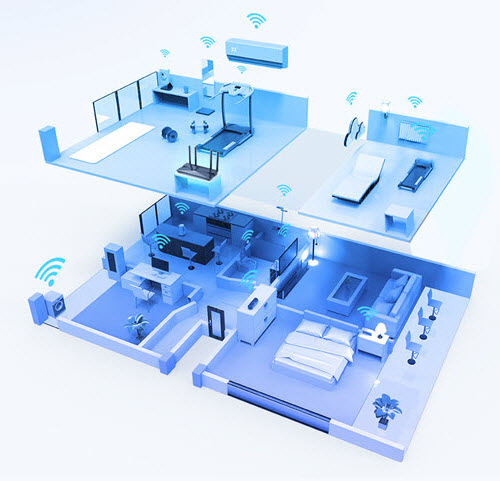
Connect More, Stay Fast with OFDMAจัดการอุปกรณ์สตรีมมิ่งได้อย่างง่ายดายและการเล่นเกมไปในเวลาเดียวกัน OFDMA พิสูจน์ความแรงอินเตอร์เน็ตโดยการมอบสัญญาณที่ดีที่สุดและการเชื่อมต่อที่มากขึ้นกว่าเก่าได้เแล้ว
|
 |
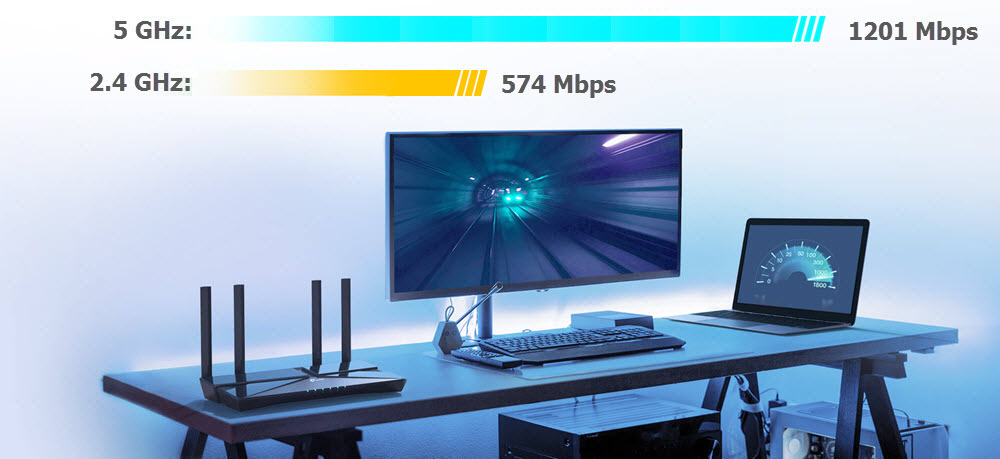
Dual-Band Wi-Fi 6 Up to 1.8 Gbpsถ่ายโอนข้อมูลภาพยนตร์ความละเอียดสูงแบบ Full HD ภายใน 10 วินาที WiFi 6 มาพร้อมกับเทคโนโลยี 1024-QAM ทำให้ได้รับความเร็วที่เต็มประสิทธิภาพเพิ่มขึ้นถึง 25% ในขณะที่เพิ่มประสิทธิภาพอัตราข้อมูล 11% เพลิดเพลินกับแบนด์วิธที่กว้างขึ้นในขณะที่สตรีมบนอุปกรณ์หลายเครื่อง |
||||||
 |
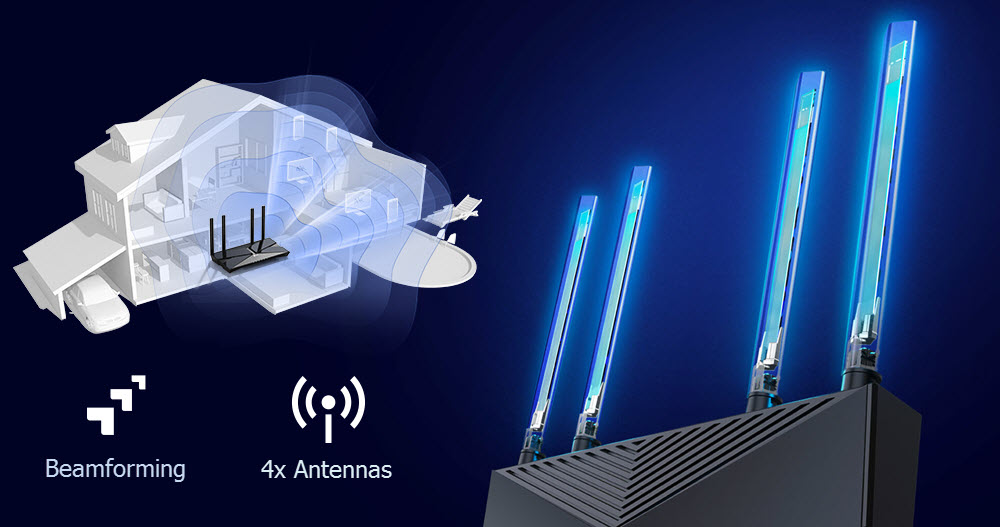
Expanded Coverage Throughout Your Home.เทคโนโลยี Beamforming , independent Front-End Module, และเสาสัญญาณ 4 เสาสัญญาณ พร้อมที่จะรวมกับเพื่อปรับแต่งสัญญาณให้สมบูรณ์ เพิ่มความแรงอินเตอร์เน็ตให้ทุกอุปกรณ์ของคุณ |
||||||
 |
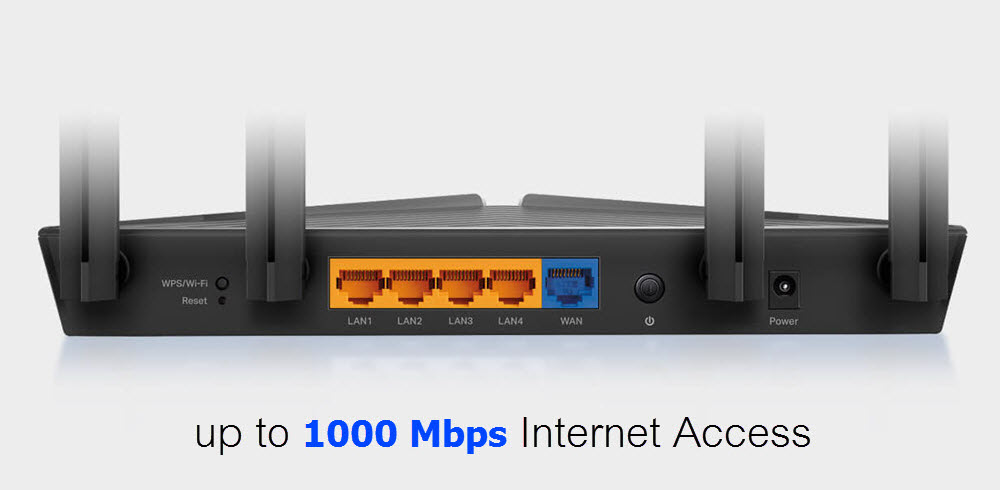
Gigabit Broadband Internet AccessThe Gigabit Ethernet ports allow you to take full advantage of your broadband speed up to 1 Gbps. Plug your PCs, smart TVs, and game consoles into one of the four Gigabit Ethernet LAN ports for fast and reliable wired connections. |
||||||
 |
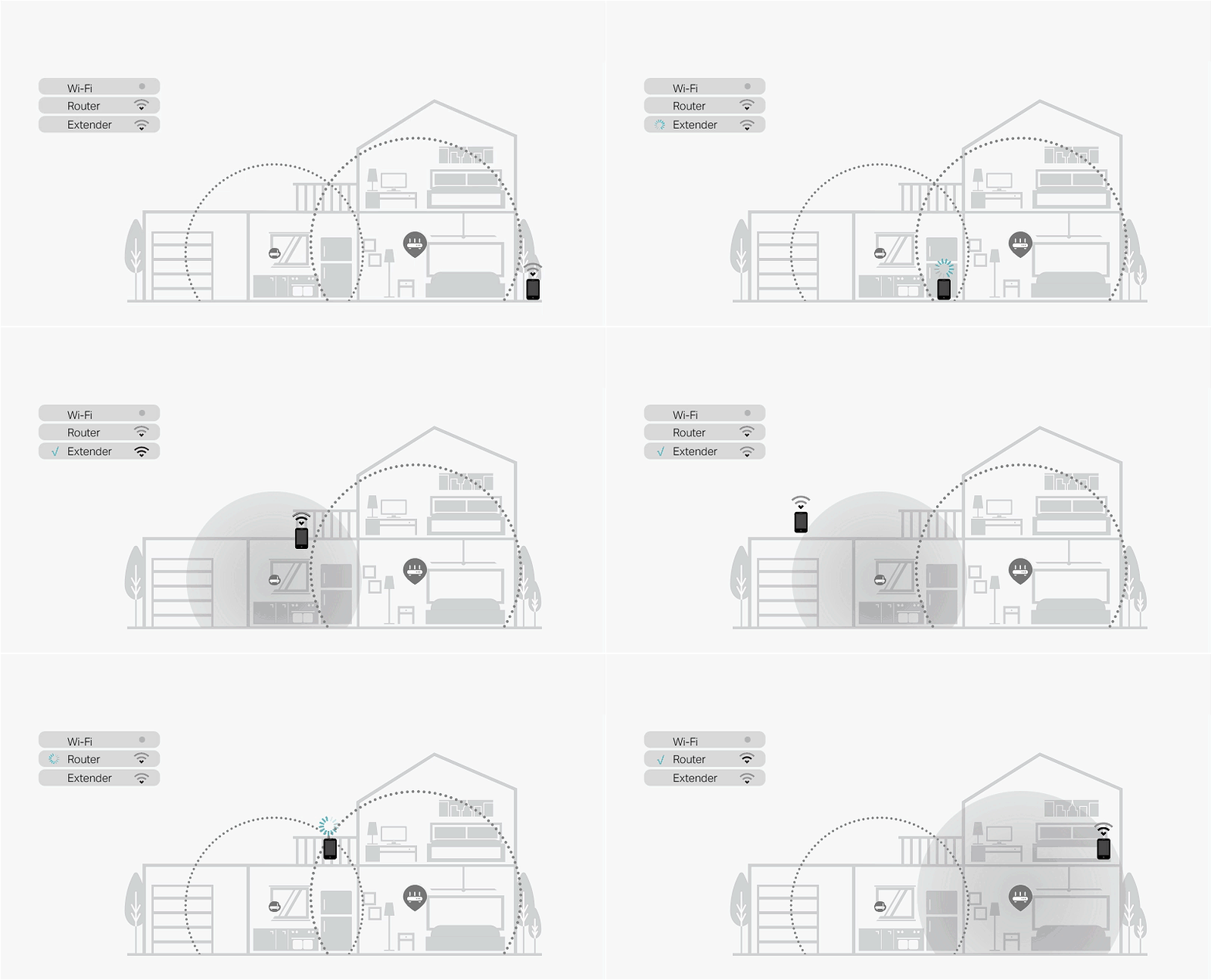
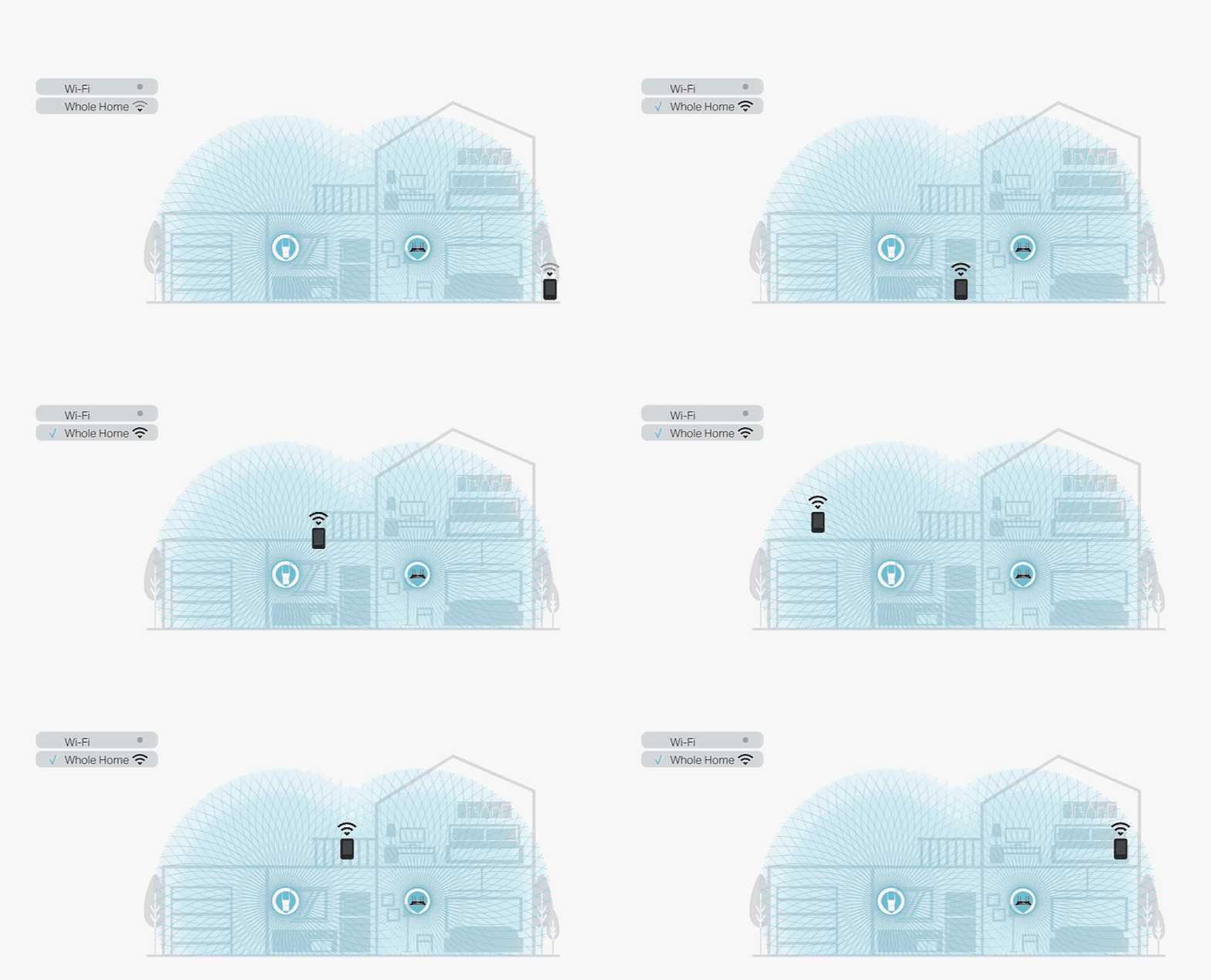
TP-Link EasyMesh™EasyMesh™ is a simple way to form a Mesh network with a single Wi-Fi name for seamless whole-home coverage. Just connect EX221-G5 Satellite to EX221-G5 Main router. No more searching around for a stable connection. |
||||||
|
Wi-Fi Dead-Zone Killer |
Smart Roaming |
One Wi-Fi Name |
Unified Management |
|||
|
Eliminate weak signal areas with Wi-Fi coverage for the whole house |
Uninterrupted streaming when moving around your home |
No more switching Wi-Fi network names |
Manage the whole-home Wi-Fi by managing the central node via Tether app/Web UI |
|||
 |
 |
|||||
| Traditional Router with Extender | EasyMesh™ Router + AP Agent | |||||


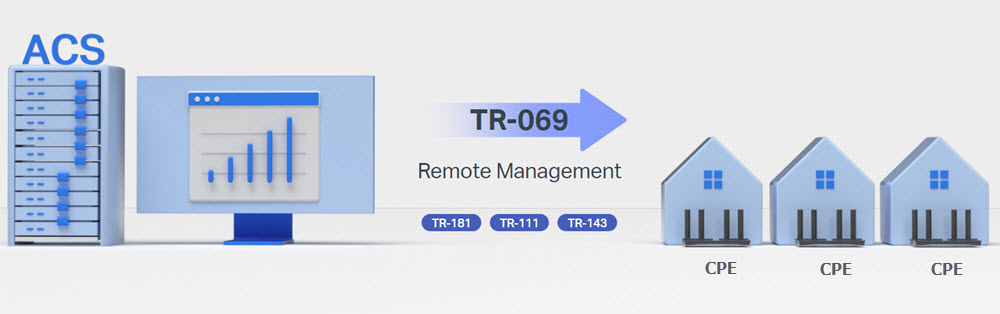
Support TR-069 Remote Managementด้วยระบบ ACS หรือ Auto Configuration Service ทำให้ผู้ให้บริการ Internet สามารถ Remote จัดการ ปรับเปลี่ยนค่า Config รวมถึงบำรุงรักษา และ Monitor อุปกรณ์ CPE ปลายทางทั้งแบบกลุ่ม หรือแบบเดี่ยวได้อย่างสะดวก ผ่านโปรโตคอล TR-181, TR-111 และ TR-143 |
 |
ข้อมูลจำเพาะ
| HARDWARE FEATURES | |
|---|---|
| Processor | Mediatek @880MHz (2 Core) |
| Ram/Rom | 256MB/16MB |
| Interface | 4 x 10/1000Mbps LAN Ports 1 x 10/1000Mbps WAN Port |
| Button | Reset Button Power On/Off Button Wi-Fi/WPS Button |
| Antenna | 4 × Fixed High-Performance External Antennas |
| External Power Supply | 12V/1.5A |
| Dimensions ( W x D x H ) | 10.2 × 5.3 × 1.5 in (260.2 × 135 × 41.6 mm) |
| WIRELESS FEATURES | |
|---|---|
| Wireless Standards | IEEE 802.11a/n/ac/ax 5GHz IEEE 802.11b/g/n/ax 2.4GHz |
| Frequency | 2.4GHz and 5GHz |
| Signal Rate | AX3000 5GHz: Up to 2402Mbps (802.11ax) 2.4GHz: Up to 574Mbps (802.11ax) |
| Wireless Security | WPA-PSK WPA2-PSK WPA3-PSK WPA/WPA2-Enterprise (802.1x) |
| Wireless Functions | Enable/Disable Wireless Radio DL/UL OFDMA Airtime Fairness Wireless Neighbor TX Beamforming WMM Band Steering MU-MIMO |
| Transmission Power | CE: <20dBm (2.4GHz); CE: <23dBm (5.15GHz–5.35GHz); CE: <30dBm (5.47GHz–5.725GHz) |
| Wireless Schedule | Support 2.4 GHz and 5 GHz Wireless Schedule |
| Multi-SSID | 2× 5 GHz Multi-SSID 2× 2.4 GHz Multi-SSID |
| Operation Mode | Router Access Point EasyMesh |
| EasyMesh Features | EasyMesh R2 Compatible Seamless Roaming, Self-healing Support 802.11k/v/r |
| SOFTWARE FEATURES | |
|---|---|
| WAN Type | Dynamic IP Static IP PPPoE PPTP, L2TP (Multi-EWAN) |
| DHCP | Server DHCP Client List Address Reservation |
| Port Forwarding | Virtual Server Port Triggering UPnP DMZ |
| Dynamic DNS | DynDns, NO-IP, TP-Link DDNS |
| Access Control | Parental Controls Local Management Control White List, Black List |
| VPN Pass-Through | IPSec, PPTP, L2TP |
| Quality of Service | Hardware QoS Flow Classification |
| Parental Controls | URL Filtering Time Controls |
| Firewall Security | SPI Firewall DoS IP & MAC Address Binding Application Layer Gateway |
| VPN Server | PPTP OpenVPN IPSec |
| Protocols | IPv4, IPv6 |
| Manage Control | Cloud Management Local Management Remote Management |
| Management | WebGUI Aginet app (for end users) Aginet ACS TR-069, TR-098, TR-181, TR-369, TR-111,TR-143 for service providers TP-Link Aginet Unified Cloud (TAUC) |
| OTHERS | |
|---|---|
| Certification | CE, Wi-Fi CERTIFIED 6™, Wi-Fi CERTIFIED EasyMesh™ |
| Environment | Operating Temperature: 0℃~40℃ (32℉ ~104℉) Storage Temperature: -40℃~60℃ (-40℉ ~140℉) Operating Humidity: 10%~90% non-condensing Storage Humidity: 5%~90% non-condensing |
| System Requirements | Microsoft Windows 10/8.1/8/7/Vista/XP/2000/NT/98SE MAC OS NetWare UNIX or Linux Internet Explorer 11, Firefox 12.0, Chrome 20.0, Safari 4.0, or other Java-enabled browser Cable or DSL Modem Subscription with an internet service provider (for internet access) |
| Package Contents | WiFi 6 Router EX511 Power Adapter RJ45 Ethernet Cable Quick Installation Guide |
การสนับสนุน
|
1. ดาวน์โหลดสำหรับ EX511 |
|
|
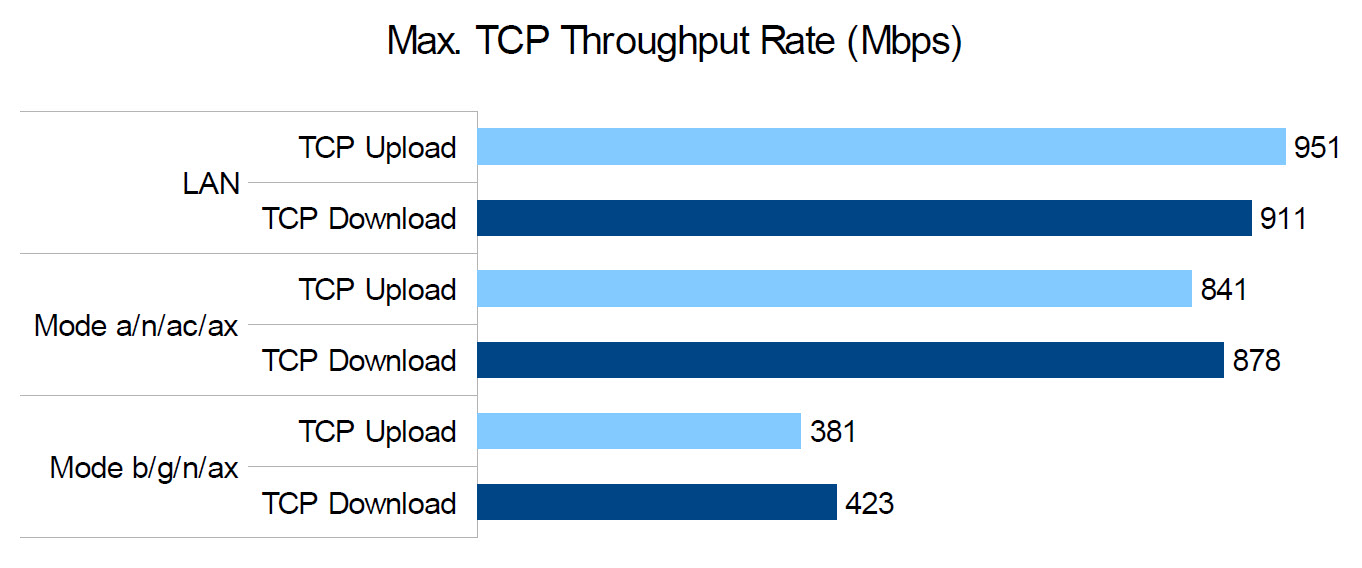
2. ผลทดสอบ Speed Test กับ Internet NT 1000/1000Mbps 1. ผล Speed Test TCP Throughput Rate เปรียบเทียบระหว่าง LAN, Wi-Fi 2.4GHz และ 5GHz ระยะไม่เกิน 5 เมตร กับ Intel AX200 |
|
|
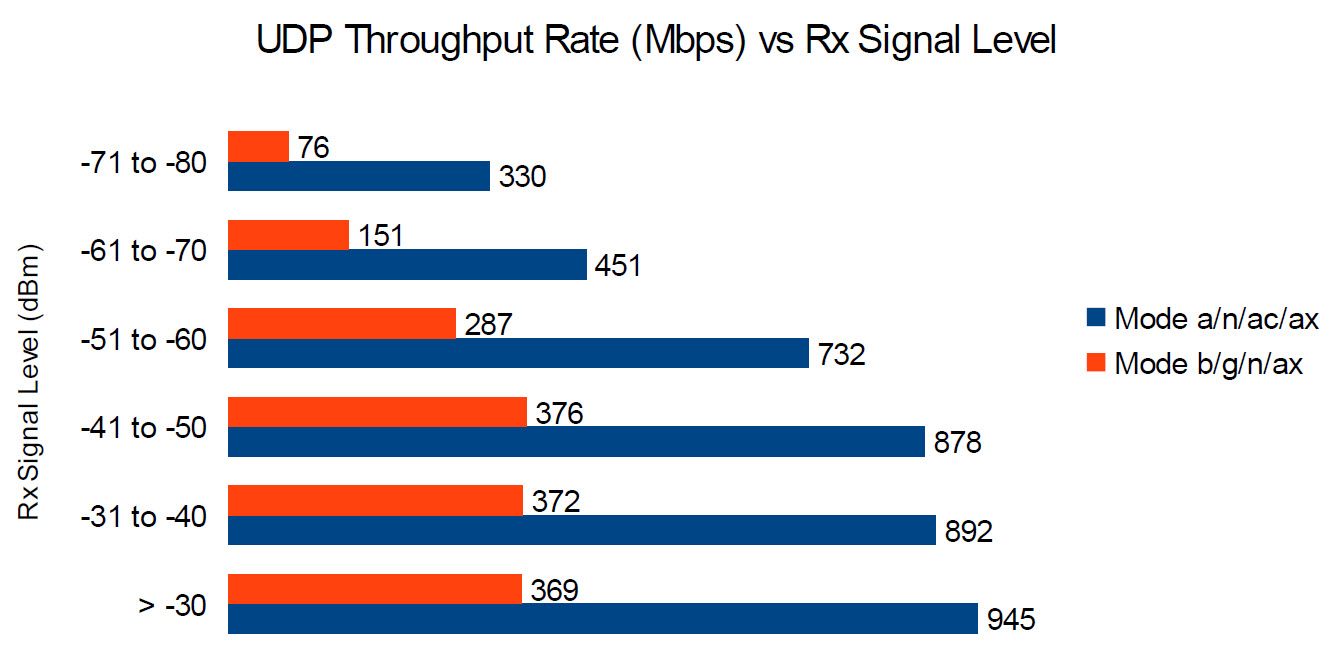
** Wi-Fi 2.4GHz = Mode b/g/n/ax, Wi-Fi 5GHz = Mode a/an/ac/ax |
|
|
2. ผล Speed Test UDP Throughput Rate ของ Wi-Fi 2.4GHz และ 5GHz ตามระยะทางใกล้สุดไปจนถึงไกลสุด |
|
|
|
|